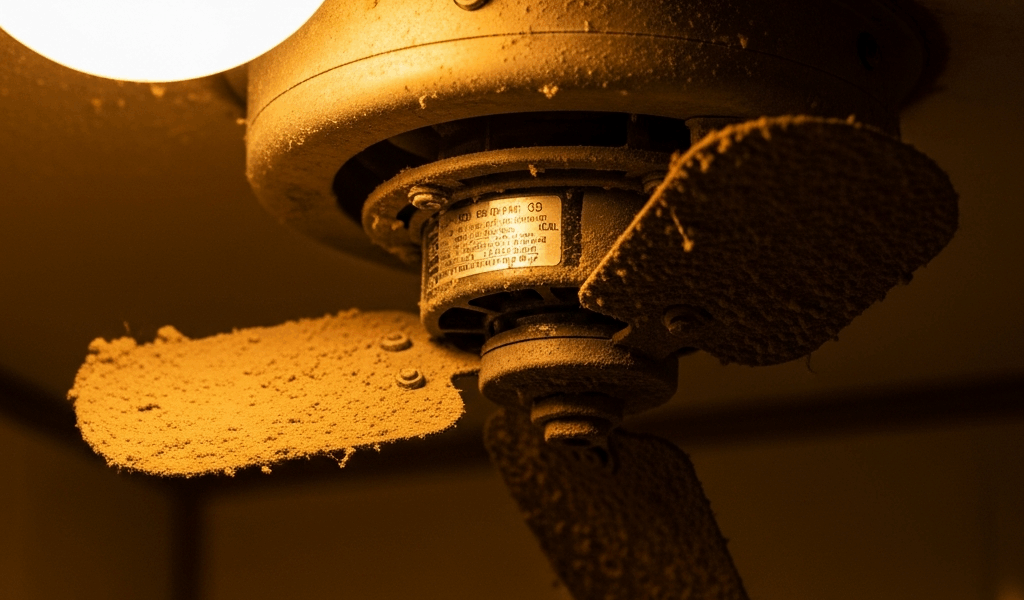
Why a Humming Fan That Won’t Spin Is Its Own Kind of Problem
Bathroom exhaust fan troubleshooting has gotten complicated with all the generic “check the breaker” advice flying around. Because here’s the thing — a fan that hums but won’t spin isn’t a power problem. Power is clearly getting there. You can hear it. The motor wakes up, buzzes, does its little electrical shimmy. The blade just… doesn’t move.
As someone who spent an entire Saturday last fall crouched on a step stool staring at exactly this problem, I learned everything there is to know about this specific failure mode. Today, I will share it all with you.
There are three culprits. A failed start capacitor — the small cylindrical part that gives the motor its initial magnetic kick. A physically seized motor shaft, usually from corrosion. Or a blade jammed by dust, debris, or a shifted mounting bracket. In the Pacific Northwest, the capacitor goes first almost every time. Humidity eats them alive. Seized motors run second, especially in homes built before 2000. Blade obstruction is rare but takes ninety seconds to rule out, so you check it first.
So, without further ado, let’s dive in.
This article includes affiliate links. We may earn a commission at no extra cost to you.
Step 1 — Cut Power and Check for Blade Obstruction
Kill the breaker. Not the bathroom light switch — the actual breaker in the panel. Flip a bathroom light afterward to confirm the circuit is dead. This matters more than it sounds.
Remove the grille cover. Most units either slide out, unscrew, or click downward. Broan and Nutone make this obvious. Older models sometimes hide three small Phillips-head screws around the perimeter — happened to me, cost me ten minutes of confusion I’d rather you skip.
Now spin the blade by hand. Two fingers. Gentle rotation. What you’re feeling for is the difference between resistance and genuine freedom of movement. A blade that spins freely but won’t self-start on power? That’s the capacitor. A blade that grinds, catches, barely moves? That’s the motor shaft. A blade that won’t rotate at all and you hear rubbing? Check whether the mounting bracket shifted or whether dust packed so densely around the housing that the blade is physically contacting the frame.
Don’t make my mistake — I skipped the visual inspection my first pass and went straight to ordering parts. Turns out the motor housing was so caked with gray lint it looked like insulation. A soft-bristled brush and a damp cloth fixed it in four minutes flat. I’d already paid for shipping on a capacitor I didn’t need.
Blade spins freely after clearing debris? Head to Step 2. Blade feels stuck or grinding? Jump to Step 3.
Step 2 — Test and Replace the Start Capacitor
But what is a start capacitor? In essence, it’s a small charge-storage component about the size of a lipstick or your thumb — plastic-wrapped, cylindrical, usually rated somewhere between 3µF and 10µF depending on the fan. But it’s much more than that in terms of what it actually does for the motor.
At the exact moment you flip the fan switch, the capacitor dumps a burst of electrical charge into the motor winding. That burst creates the magnetic force that gets the shaft spinning. Without that initial kick, the coils energize, the motor hums, current flows — and nothing moves. The shaft just sits there drawing power and going nowhere. That’s exactly the symptom we’re diagnosing.
Power off again. Remove the grille and housing as needed. On Broan and Nutone units — which covers probably 60 percent of residential bathroom fans installed in the last 30 years — the capacitor mounts directly to the motor can or to the nearby bracket. Two wire terminals coming out of it, pretty hard to miss. On Panasonic units it sometimes hides inside the motor housing itself, which is annoying but not impossible to reach.
Look at it. A failed capacitor shows one of three things: the plastic casing is bulged or swollen like it’s straining against itself, there’s a visible crack in the casing, or there’s brown or black discoloration around the base. Any of those — it’s dead. Skip the testing, just replace it.
If it looks fine visually, grab a multimeter. Set it to capacitance — marked with a C and a small curved line on most meters. Clip one probe to each terminal. A working capacitor reads close to the µF value printed on the side. A failed one reads zero or bounces around and never stabilizes. Probably should have opened with this section, honestly, because this test catches failures that look perfectly fine on the outside.
Replacement capacitors run $4 to $12. I’m apparently sensitive to humidity-related failures — I’m in Olympia, Washington — and Packard brand capacitors work for me while generic no-name ones never seem to last more than two seasons. Match the microfarad rating exactly, unclip the old terminals, clip on the new one, done. Thirty seconds of actual work. High-humidity climates like western Washington and Oregon degrade these components 30 to 40 percent faster than drier regions. Keep a spare. Seriously.
Step 3 — Diagnose a Seized Motor
Frustrated by a blade that resists every attempt to spin it by hand, most people assume the whole fan is dead. That’s not always true — but it’s also not always worth fighting.
Motors seize when corrosion forms on internal bearings. Water vapor migrates into the housing — especially in bathrooms where the ventilation was already underperforming — and rust accumulates on the metal bearing surfaces over years. The friction increases gradually. One day the shaft locks mid-cycle and the fan hums forever while nothing turns.
Confirming a seized motor is straightforward. Try to rotate the blade again, gently. A seized shaft doesn’t just feel stiff — it feels locked, grinding, like it’s hitting a hard stop at a certain point. Check also for a burning smell coming from the motor housing. That smell means the winding is pulling current but can’t release it as movement, so it’s releasing it as heat instead. Stop immediately if you smell burning. Don’t run the fan again until this is resolved.
That’s what makes this symptom distinct from simple blade obstruction — the grinding quality and the heat. That’s what makes it endearing to us DIYers, actually. Once you feel it, you know exactly what you’re dealing with.
When to Replace Instead of Repair
A seized motor can sometimes be freed with penetrating oil — WD-40 Specialist Penetrant, not the regular stuff — and patience. I’ve done it exactly once. Took forty minutes, felt sketchy the whole time, and the fan died again eight months later anyway.
Here’s the honest math. Replacement motors for Broan or Nutone units run $60 to $150 depending on model. The Broan-NuTone RE70BN Replacement Motor Kit fits most 50 and 70 CFM models and includes everything needed for a DIY swap. Installation labor adds $150 to $250 if you’re hiring someone. That was the reality in late 2024. A new bathroom exhaust fan — say, a Broan-NuTone 688, which runs around $28 at Home Depot — installed yourself costs under $50 total including materials. A contractor install runs $300 to $400 but gets you a warranty on the work.
While you won’t need to gut your bathroom ceiling, you will need a handful of basic tools — a drill, wire nuts, a voltage tester, and maybe a reciprocating saw if the old housing is a weird size. First, you should check your fan’s current CFM rating — at least if you’re in Washington State, where 2024 energy code now requires 100 CFM for bathrooms over 100 square feet, up from the old 50 CFM standard.
A newer fan might be the best option, as replacing an older seized motor requires sourcing parts that are increasingly hard to find. That is because most manufacturers quietly discontinue components for units more than 10 years old, leaving you hunting eBay for a $14 motor that may or may not be genuine.
Fan under 5 years old? Repair is probably worth attempting. Fan at 10 years or older with a seized motor? Replace it. Check the model number printed on the motor housing — usually a sticker, sometimes stamped directly into the metal — and look up current replacement part costs. That number tells you everything you need to know about whether this fight is worth having.


Stay in the loop
Get the latest northwest renovate updates delivered to your inbox.